Using tags for distribution
Vouch’s advocacy tagging allows you to precisely target which requests are sent to specific advocates. This feature is available for customers using the Vouch Advocacy or Recruiter Enablement portals.
The following guide covers how tagging works, how to assign tags to advocates, and how to apply them during the request setup
How it works
Vouch utilises tags to ensure your advocacy requests are targeted and relevant. Rather than broadcasting every request to your entire advocate pool, tags act as a filter to match the right opportunities with the right people.
How Matching Works
The distribution logic is built on a direct 1:1 match between the advocacy request and the advocate user. A request only becomes visible or sends a notification when there is an overlap in tags.
The rule is if an advocate does not share at least one tag with that specific request, that request remains hidden from their dashboard and they'll receive no notifications.
Multi-tag logic
Vouch operates on an OR basis (disjunctive logic). If you apply multiple tags to a request, you are expanding the net of eligible advocates.
Example: You create a request with the tags APAC and Sales.
- Advocate A (Tagged: APAC) → Will see the request.
- Advocate B (Tagged: Sales) → Will see the request.
- Advocate C (Tagged: Marketing) → Will NOT see the request.
Associating tags with advocates
To associate a tag with an advocate user, navigate to the Team members page located under Account > Organization settings > Team members.
From this page you can update the tags on an individual or batch basis. To update the tags for individual advocates via the overflow (three-dot) menu.
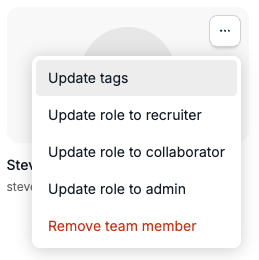
To update using the batch functionality, select multiple team members by clicking the checkbox on their profile card and then choose update tags from the batch action menu.

Once a tag has been applied to a team member, they will be notified to any advocacy requests with that same tag. Their view via the advocacy portal will also be limited to the tags associated with their profile.
Applying tags to advocacy requests
Vouch allows users to use tags to determine which advocacy requests will go to which advocate users. This option is available on both new posts and amplified posts.
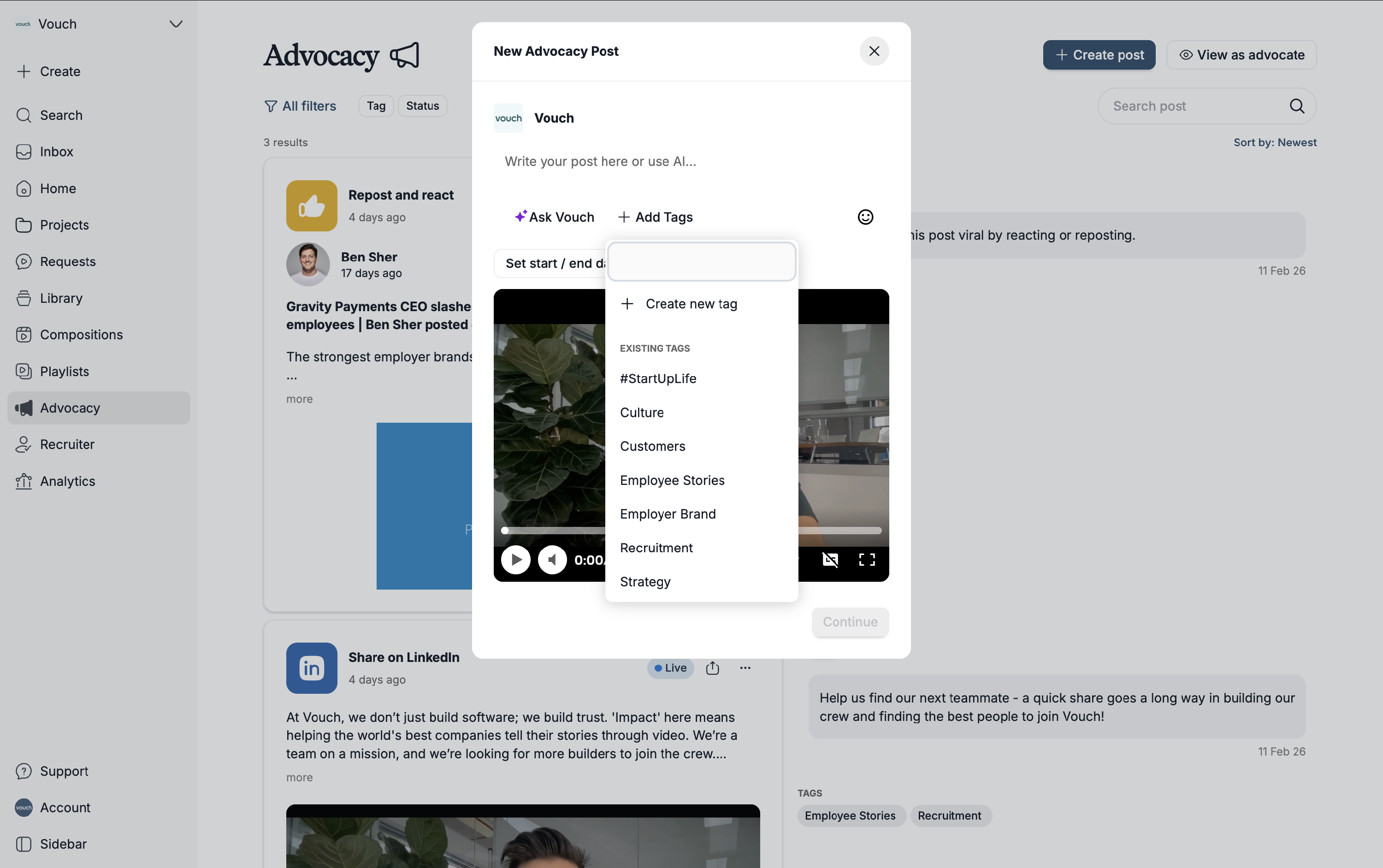
To apply a tag to an advocate request, simply click on the add tags options from the creation modal and add in the tag(s) for the advocates you wish to share this request with.
Note: If you select not tags, advocacy posts will be shared with all advocate users.