
Ask Vouch in the portal
Home is the first page you land on in the Employee Portal. It opens a new Ask Vouch chat: type what you need and Ask Vouch searches your organisation's content and drafts a response for you.
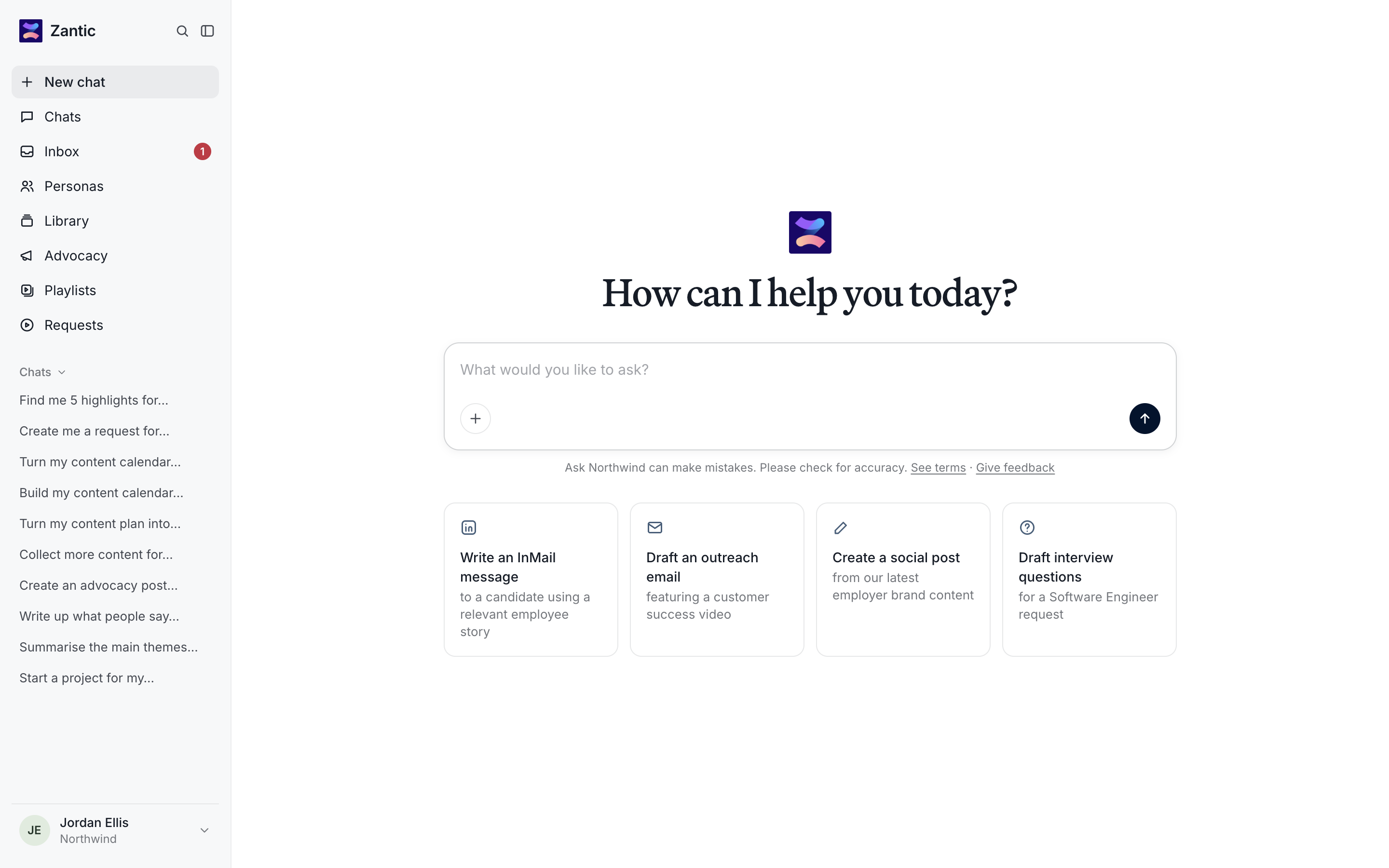
Start a chat
- Open a new chat. Click New chat in the sidebar (or open the portal).
- Ask your question. Type it in the What would you like to ask? box, or pick a starter prompt below it: Write an InMail message…, Draft an outreach email…, Create a social post… or Draft interview questions…
- Send. Press the arrow button.
Things you can ask
- "Find me 5 highlights where someone talks about career growth."
- "Write an outreach email for a Customer Success Manager role and include a video from the team."
- "Summarise the main themes in our latest responses."
Find past chats
- Recent chats appear in the sidebar under Chats.
- All chats - click Chats to see the full list, search by title and sort. Use the … menu on a row to manage a chat, or click New to start another.
- Search inside chats — use the search icon at the top of the sidebar to search message content.
Ask from anywhere
Ask Vouch is also available from Personas, the Library and individual videos via the Ask button. It opens a chat scoped to what you're looking at.
Ask Vouch can make mistakes. Check names, facts and links before you send anything it drafts.